
Professional Data Recovery and Hard Drive Recovery Services in Winnipeg: Expert Solutions for File Restoration and Data Security
Data loss disrupts operations and jeopardizes critical information for both businesses and individuals. Recognizing the causes of data loss and available remediation options enables proactive risk management. This article examines professional data recovery and hard drive recovery services in Winnipeg, explains the mechanisms of data loss, and outlines expert approaches to file restoration. It addresses common causes, the impact of hardware failure and ransomware, recovery techniques, the benefits of emergency services, and the importance of robust data security measures.
Key Takeaways
- Professional data recovery services in Winnipeg address data loss caused by deletion, corruption, ransomware, and hardware failures.
- Hardware failures and physical damage require specialized tools and techniques for effective hard drive recovery outcomes.
- Ransomware and accidental deletion demand prompt professional intervention to maximize chances of successful data restoration.
- Recovery methods differ for hard drives, SSDs, and RAID systems due to their unique architectures and data storage mechanisms.
- RAID data recovery involves reconstructing arrays and managing multiple drive failures with advanced diagnostic approaches.
- Emergency and on-site recovery services in Winnipeg provide rapid response and minimize downtime for businesses and individuals.
- Implementing regular backups and using reliable recovery software are essential best practices to prevent permanent data loss.
- Data recovery costs vary based on device type, damage extent, and urgency, with transparent pricing models aiding informed decisions.
- CDC Computers offers expert local recovery services with advanced technologies, high success rates, and strong customer satisfaction.
What Are the Common Causes of Data Loss and How Can Professional Recovery Services Help?
Data loss arises from multiple causes that require distinct recovery strategies. Common sources include accidental deletion, file system corruption due to improper shutdowns or software faults, and ransomware attacks that encrypt files. Professional recovery providers apply forensic-grade tools and technical procedures to retrieve data and restore access to critical information while minimising further risk.
How Do Hardware Failures and Physical Damage Affect Data Recovery Outcomes?
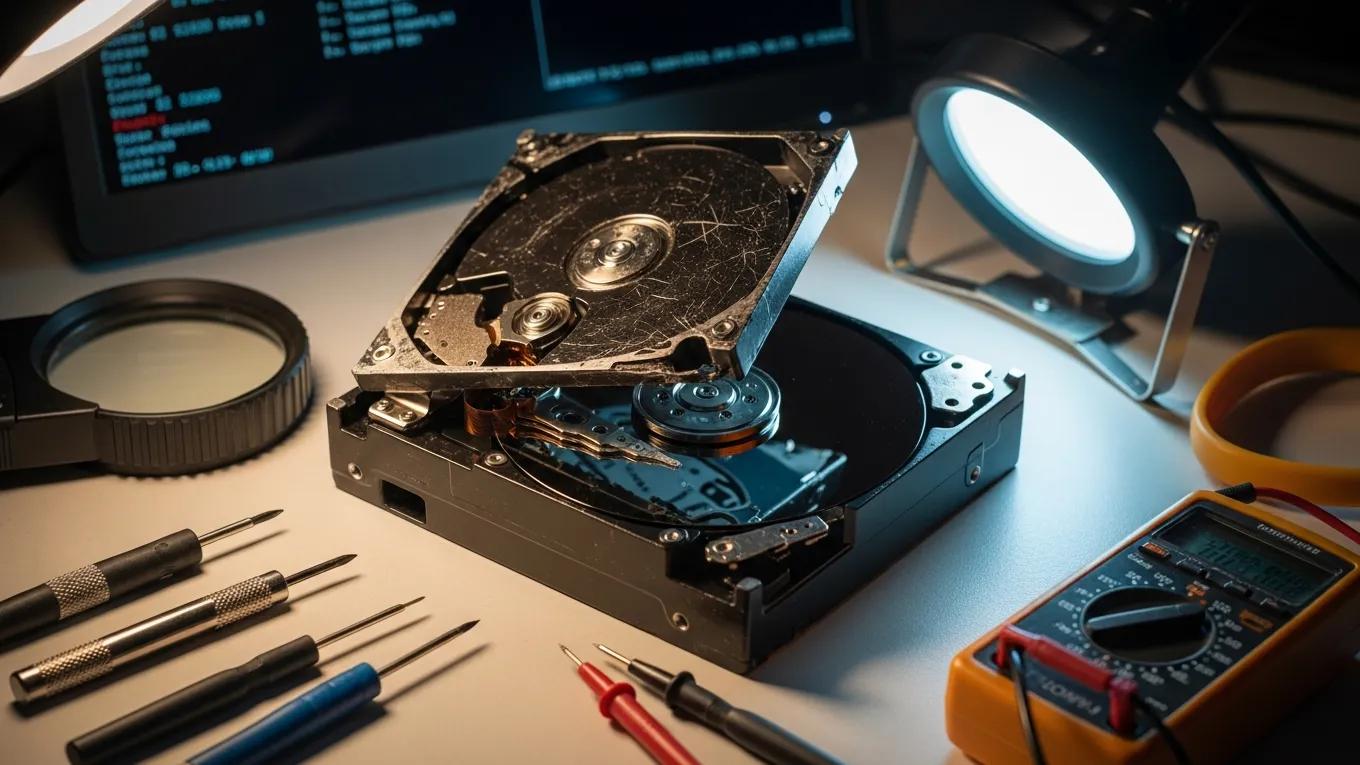
Hardware failures and physical damage materially influence recovery prospects. Typical failure modes include mechanical crashes, power-surge damage, and component wear. Physical incidents such as liquid exposure or impact can compromise drive integrity and require controlled laboratory intervention. Professional recovery teams employ specialised diagnostic equipment and repair techniques to assess damage and recover data where consumer methods are inadequate.
What Role Do Ransomware and Accidental Deletion Play in Data Loss Scenarios?
Ransomware and accidental deletion represent frequent and distinct loss scenarios. Ransomware denies access by encrypting data and often requires rapid containment and recovery actions to preserve remaining assets. Accidental deletion may be resolved through backup restoration or file-recovery methods if addressed promptly. Timely engagement of qualified technicians improves the probability of successful restoration in both situations.
Ongoing research reinforces the necessity of effective ransomware recovery methods for protecting systems and restoring encrypted files.
Ransomware Data Recovery for Encrypted Files
Discussion of recovery techniques to protect systems from ransomware and methods to enable users to regain access to encrypted files.
Method for Extracting Data from an Overprovisioned SSD, H Suthar, 2022
Which Data Recovery Techniques Are Used for Hard Drives, SSDs, and RAID Systems?
Recovery techniques are tailored to storage architecture. For magnetic hard drives, technicians commonly use disk imaging and file-carving to recover data from damaged sectors. SSD recovery often requires firmware repair and direct extraction from memory modules due to wear-leveling and controller behaviour. RAID systems demand array reconstruction and coordinated recovery across multiple disks. Each method is selected to maximise data integrity and retrieval success for the specific device type.
How Does Hard Drive Recovery Differ from SSD and Flash Drive Data Retrieval?
Hard drive recovery differs from SSD and flash drive retrieval because underlying storage mechanisms are dissimilar. Hard drives store data on magnetic platters and may require mechanical repairs, whereas SSDs use flash memory and often require firmware-level intervention or chip-off extraction. Flash drives share SSD characteristics but can present additional constraints due to compact form factors. Correctly identifying the medium and failure mode is essential to select an appropriate recovery strategy.
Further research highlights the specific complexities of SSD data extraction, particularly regarding recovery of deleted files.
SSD Data Extraction & Deleted File Recovery
Analysis of data extraction from overprovisioned SSDs notes increased difficulty restoring deleted data and recommends firmware-based approaches.
Method for Extracting Data from an Overprovisioned SSD, H Suthar, 2022
What Are the Challenges and Solutions in RAID Data Recovery Services?
RAID recovery presents unique challenges due to distributed data layouts and multiple redundancy schemes. Concurrent drive failures, incorrect rebuild attempts, or unclear configuration parameters can complicate retrieval. Professional services employ advanced diagnostics to identify array parameters, reconstruct the logical layout, and recover data from individual components. Systematic reconstruction and validation procedures reduce risk and improve recovery outcomes.
The intricate nature of RAID systems requires specialised methodologies and algorithmic approaches to reconstruct arrays and recover information at the logical level.
RAID Data Recovery Methodologies for Businesses
This work provides a systematisation and critical analysis of methodologies for recovering information from damaged or inaccessible Redundant Array of Independent Disks (RAID) arrays. The study emphasises that corporate storage reliability directly affects business continuity and public-sector stability. Its objective is a comprehensive review of algorithmic recovery approaches with a focus on automated identification of key array configuration parameters and logical-level reconstruction. Methods for Data Recovery from Damaged and Inaccessible RAID Arrays, 2025
How Can Businesses and Individuals Benefit from Emergency and On-Site Data Recovery Services in Winnipeg?

Emergency and on-site recovery services deliver rapid response and local technical expertise to reduce operational disruption. For businesses, expedited intervention minimises downtime and associated costs. For individuals, on-site support improves convenience and reduces transit risk. Localised capability and fast mobilisation are core advantages of professional emergency services.
What Is the Typical Turnaround Time for Emergency Data Recovery Requests?
Turnaround times depend on case complexity. Simple recoveries can be completed within 24 to 48 hours. Complex scenarios involving multiple failed drives or extensive physical damage may require several days to a week. Device type, damage severity, and required recovery procedures are the principal factors affecting timelines; clear expectations facilitate planning.
How Do On-Site and Remote Recovery Services Ensure Data Security and Confidentiality?
On-site and remote recovery services maintain security and confidentiality through strict protocols. On-site work avoids transporting sensitive media and limits exposure during handling. Remote recovery uses secure, authenticated connections and encrypted channels. Both service modes employ access controls and cybersecurity measures to prevent unauthorized access and preserve client confidentiality.
What Are the Best Practices for Deleted File Restoration and Data Backup Solutions?
Adoption of best practices for deleted file restoration and backup reduces the risk of permanent loss. Key measures include the following:
- Regular Backups: Schedule automatic backups to ensure that data is consistently saved.
- Use of Recovery Software: Employ reliable recovery software to restore deleted files quickly.
- Immediate Action: Act promptly when data loss occurs to increase the chances of successful recovery.
Adherence to these measures materially decreases the likelihood of permanent data loss and strengthens overall data resilience.
How Can Effective Backup Strategies Prevent Future Data Loss?
Effective backup strategies provide predictable recovery paths. Implementing a multi-tiered approach ensures redundancy and geographic separation of copies. Organisations should design backup policies that align with recovery time and recovery point objectives to support business continuity.
- Cloud Backups: Utilize secure cloud storage for off-site data protection.
- External Drives: Regularly back up data to external hard drives for local redundancy.
- Automated Backups: Set up automated backup schedules to ensure data is consistently saved without manual intervention.
Combined backup layers create a comprehensive safety net, enabling data restoration in the event of hardware failure, accidental deletion, or other incidents.
What Tools and Software Support Safe File Recovery and Restoration?
Professional recovery relies on specialised tools and validated software. Recovery applications support logical retrieval, while hardware instruments enable diagnostics and physical repair. Appropriate tooling reduces risk and increases recovery success.
- Data Recovery Software: Programs designed to recover deleted or corrupted files.
- Disk Imaging Tools: Software that creates a complete image of a drive for recovery purposes.
- Diagnostic Tools: Hardware and software used to assess the condition of storage devices.
Use of industry-standard tools and procedures enhances the probability of restoring important files while preserving data integrity.
What Are the Pricing Models and Service Options for Professional Data Recovery in Winnipeg?
Pricing models vary according to device type, recovery complexity, and service urgency. Typical service tiers include the following:
- Standard Recovery: Typically involves a longer turnaround time and lower costs.
- Emergency Recovery: Higher fees for expedited services, often completed within 24-48 hours.
- On-Site Recovery: Additional charges may apply for on-site services, depending on location and travel time.
Clear pricing structures enable organisations and individuals to make informed service selections based on risk tolerance and recovery priorities.
How Is Data Recovery Cost Determined Based on Device Type and Recovery Complexity?
Recovery cost is driven by device technology and the complexity of required interventions. Factors include the storage medium (HDD, SSD, RAID), the extent of physical or logical damage, and the diagnostic effort necessary to define a recovery plan. Initial assessment fees are common and are often credited toward final charges.
Understanding these cost drivers helps set realistic expectations and supports budgeting for recovery services.
What Service Guarantees and Success Rates Can Clients Expect?
Service guarantees and success metrics vary by provider. Reputable firms provide transparent guarantees based on initial assessments and report historical success rates that depend on device type and failure mode. Many professional providers report success rates of 80% or higher for standard recoveries, which aids clients in selecting reliable partners.
Why Choose CDC Computers for Professional Data Recovery and Hard Drive Repair Services in Winnipeg?
CDC Computers is positioned as a leading local provider of data recovery and hard drive repair services in Winnipeg. The company employs experienced technicians, follows transparent pricing practices, and utilises advanced recovery technologies. These capabilities improve the likelihood of successful retrieval and provide clients with clear cost information up front.
What Local Expertise and Technologies Differentiate CDC Computers’ Recovery Solutions?
CDC Computers combines local technical expertise with modern diagnostic and recovery equipment to address complex loss scenarios. The team’s practical experience enables efficient diagnosis and methodical recovery work. Investment in advanced tools and validated procedures supports superior outcomes for clients.
How Do Customer Testimonials and Case Studies Reflect CDC Computers’ Reliability?
Customer testimonials and case studies document instances of successful recovery and reflect the company’s focus on client satisfaction. Real-world examples demonstrate technical competence, timely communication, and adherence to recovery best practices, reinforcing trust in CDC Computers’ services.
Frequently Asked Questions
What should I do immediately after experiencing data loss?
Immediately after data loss, stop using the affected device to avoid overwriting recoverable data. Power down the device if possible and contact a professional data recovery service. Do not attempt invasive DIY repairs, as these can reduce recovery prospects. Record the circumstances of the loss to assist technicians in determining the optimal recovery approach.
How can I ensure my data is secure from future loss?
To protect data, implement a robust backup strategy that includes local and off-site copies, automated schedules, and verified restoration procedures. Employ encryption for sensitive information and maintain up-to-date security software to defend against malware and ransomware. Regular training on data-handling best practices further reduces accidental loss.
What are the signs that my hard drive may be failing?
Indicators of impending hard drive failure include unusual clicking or grinding noises, frequent system crashes, slow performance, and missing or corrupted files. If these signs appear, create a backup immediately and consult a professional. Routine health monitoring with diagnostic utilities can identify issues before they escalate.
Can data recovery services retrieve data from physically damaged drives?
Professional services can often retrieve data from physically damaged drives, subject to the extent of the damage. Technicians use specialised tools and controlled cleanroom procedures to inspect and repair hardware as required. Severe physical damage lowers success probability, so prompt professional intervention is essential.
What is the difference between logical and physical data recovery?
Logical recovery addresses cases where storage hardware is operational but data is inaccessible due to corruption, deletion, or file-system errors and typically utilises software techniques. Physical recovery targets hardware failures, such as damaged components or mechanical faults, and may require hardware repair or cleanroom procedures to access the data safely.
How can I choose the right data recovery service for my needs?
Select a provider based on reputation, documented success rates, transparent pricing, and demonstrated experience with the specific device and failure scenario. Request a clear description of the recovery process and any guarantees offered. A reputable provider will explain options and risks before work commences.
What should I expect during the data recovery process?
The recovery process typically begins with an initial assessment and diagnostic report outlining the damage and estimated costs. Upon approval, technicians perform the recovery, which may take from a few hours to several days depending on complexity. Reputable providers maintain communication and deliver a final report and recovered data according to agreed terms.