HDD, SSD, RAID & External Drive Recovery in Winnipeg – CDC Computers
Data loss may cause significant operational disruption, whether resulting from accidental deletion, hardware failure, or malware. Understanding the range of data recovery services available in Winnipeg is essential for organizations and individuals that rely on digital storage. This guide explains service types, common causes of data loss, and recovery methods. After reading, you will have a clear understanding of how to protect data and the options for recovery.
In Winnipeg, data recovery services serve both individuals and businesses. As reliance on digital data grows, effective recovery reduces downtime, financial loss, and operational risk. This guide outlines the role of recovery services, common methods, and why a local specialist such as CDC Computers can materially improve recovery outcomes.
Key Takeaways
- Data recovery services in Winnipeg help retrieve lost data from hard drives, SSDs, RAID systems, and external drives.
- Common causes of data loss include accidental deletion, file system corruption, physical damage, malware, and power surges.
- Logical recovery uses software tools to restore deleted or corrupted files from storage devices.
- Physical recovery involves repairing damaged hardware components in controlled cleanroom environments.
- RAID recovery requires specialized techniques to rebuild arrays or extract data from individual drives.
- CDC Computers offers local, in-house data recovery with over 40 years of expertise and transparent pricing.
- Protecting recovered data involves secure cloud backups, automated scheduled backups, and strong cybersecurity measures.
- Understanding device-specific recovery challenges improves the chances of successful data retrieval and protection.
Comprehensive Guide on Data Recovery Services in Winnipeg
Data recovery services provide specialized solutions to retrieve lost, corrupted, or inaccessible data from storage devices. They are essential for cases involving hard drives, SSDs, RAID systems, or external media. Such services restore critical information that may not be recoverable by routine user actions.
Several providers in Winnipeg offer data recovery with varying approaches and expertise. Understanding available services enables informed decision-making when data loss occurs. From logical recovery for software faults to physical repair for hardware damage, selecting the appropriate provider materially affects recovery success.
Overview of Data Recovery Services
Data recovery employs techniques and tools to retrieve lost information. Services are broadly categorized as logical recovery or physical recovery. Logical recovery addresses software-related loss, including accidental deletion and file system corruption. Physical recovery addresses hardware failures, such as damaged hard drives or SSDs.
CDC Computers, a Winnipeg-based IT services provider, specializes in comprehensive data recovery. Its expertise covers hard drives, SSDs, and RAID systems. By performing most recovery work in-house, CDC Computers maintains strict controls over data handling and professional standards.
Common Causes of Data Loss
Recognizing common causes of data loss supports preventive measures and timely escalation to professionals. The most frequent causes include:
- Accidental Deletion: Users may unintentionally delete important files or format storage devices.
- File System Corruption: Issues with the file system can render data inaccessible.
- Physical Damage: Hard drives and SSDs can suffer from mechanical failures or damage due to drops or spills.
- Virus or Ransomware Attacks: Malicious software can corrupt or encrypt files, making them unrecoverable without specialized tools.
- Power Surges: Sudden power outages or surges can lead to data corruption.
Awareness of these causes informs stronger data protection strategies and clarifies when to engage a data recovery service.
Data Recovery Methods
Recovery methods depend on the nature of the loss and the affected device. Common industry approaches include:
- Logical Recovery: This method involves using software tools to recover deleted files or repair corrupted file systems. It is often successful for data loss due to accidental deletion or software issues.
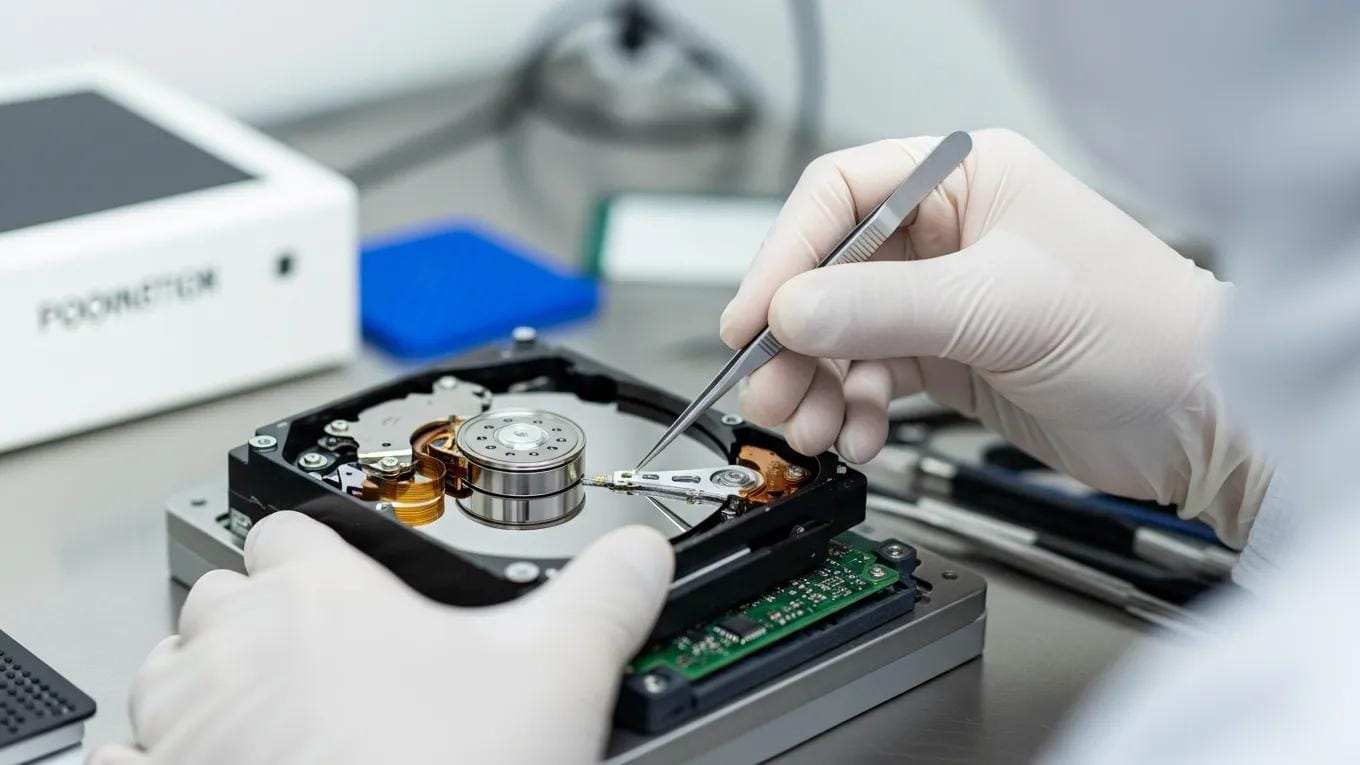
- Physical Recovery: This approach is necessary when hardware damage occurs. It typically involves opening the storage device in a cleanroom environment to repair or replace damaged components.
- RAID Recovery: Specialized techniques are used to recover data from RAID systems, which may involve rebuilding the RAID array or extracting data from individual drives.
Effectiveness varies by failure type and device; selecting a provider with appropriate expertise is essential for a successful outcome.
The table summarizes recovery methods and their typical effectiveness to guide selection of the most suitable approach.
Techniques for RAID Data Reconstruction and Recovery
RAID systems are used for redundancy and performance, but they introduce complexity for recovery. Common reconstruction techniques include:
Further research examines algorithmic strategies and methodologies for recovering data from complex RAID arrays, emphasising automated identification and reconstruction processes.
RAID Data Recovery Methods & Algorithmic Approaches
This work provides a systematization and critical analysis of existing methodologies for recovering information from damaged or inaccessible Redundant Array of Independent Disks (RAID) arrays. The relevance of the study is determined by the fact that the reliability of corporate storage directly affects the continuity of business processes and the stability of government operations. The objective of the research is to conduct a comprehensive review of algorithmic approaches to data recovery with a focus on automated identification of key array configuration parameters and reconstruction of information at the logical level. In particular, traditional methods based on analysis of metadata and block placement tables are examined, as well as modern techniques employing entropy-based assessment of bit distributions, detection of file system signatures, and application of heuristic machine learning models.
Methods for Data Recovery from Damaged and Inaccessible RAID Arrays, 2025
- Identifying RAID Levels: Understanding the specific RAID configuration is crucial for effective recovery. Different RAID levels (e.g., RAID 0, RAID 1, RAID 5) have unique characteristics that affect recovery strategies.
- Rebuilding RAID Arrays: In cases of drive failure, rebuilding the RAID array can restore access to data. This process requires careful handling to avoid further data loss.
- Data Extraction Methods: When RAID arrays are severely damaged, data extraction methods may be employed to retrieve information from individual drives.
These techniques demonstrate the specialized knowledge required for RAID recovery and underscore the importance of engaging an experienced provider.
Data Recovery for Different Devices
Recovery services address various devices, each demanding specific techniques and expertise. Overview of device-specific recovery follows:
Understanding challenges and repair methodologies for traditional Hard Disk Drives (HDDs) is essential, as detailed studies cover their anatomy, common failure modes, and advanced diagnostic techniques.
HDD Repair, Data Recovery & Failure Diagnostics
Hard Disk Drives (HDDs) remain a crucial component of data storage systems despite the advent of Solid State Drives (SSDs). However, the mechanical and electronic nature of HDDs makes them susceptible to various failures over time. This article provides a comprehensive examination of HDD repair, focusing on the anatomy and function of these devices, common causes of failure, diagnostic techniques, and effective repair methods. Mechanical failures, such as head crashes and spindle motor issues, electronic failures like PCB damage, and logical failures including file system corruption and bad sectors are explored in detail. Diagnostic approaches utilizing visual inspection, diagnostic software tools, hardware-based diagnostics, and SMART monitoring are discussed to aid in identifying issues accurately.
Advancements and Best Practices in Hard Disk Drives (HDDs) Repair: A Comprehensive Review of Diagnostic Techniques, Repair Methods, and Preventive …, 2024
- Hard Drive Recovery: Traditional hard drives are susceptible to mechanical failures, making physical recovery methods essential.
- SSD Recovery: Solid-state drives present unique challenges due to their flash memory technology, requiring specialized tools for recovery.
- RAID and Server Recovery: Data recovery for RAID systems and servers often involves complex procedures to ensure data integrity and minimize downtime.
Understanding device-specific recovery nuances assists in selecting the correct service and improves the probability of successful recovery.
Why Choose CDC Computers for Data Recovery in Winnipeg?
When it comes to data recovery in Winnipeg, CDC Computers stands out for several reasons:
- Experience and Expertise: With over 40 years of expertise in data recovery and IT services, CDC Computers has a proven track record of successful recoveries.
- Local In-House Recovery: Most services are performed in-house, ensuring that your data is handled with care and confidentiality.
- Transparent Pricing: CDC Computers offers clear diagnostics and no hidden fees, allowing you to make informed decisions about your data recovery options.
Selecting a local specialist such as CDC Computers offers greater control, confidentiality, and a higher likelihood of successful recovery.
Protecting Your Data After Recovery

After recovery, it is essential to implement measures that reduce the risk of future loss. Effective strategies include:
- Secure Cloud Backups: Utilize cloud storage solutions to create secure backups of important files, ensuring they are accessible even if local storage fails.
- Automated Scheduled Backups: Set up automated backups to regularly save your data, reducing the risk of loss due to unforeseen events.
- Cybersecurity Protection: Invest in cybersecurity measures to protect against malware and ransomware attacks that can compromise your data.
Implementing these strategies safeguards data and reduces the likelihood of future loss.
The table summarizes protection strategies and their operational benefits, emphasizing proactive measures.
By understanding available recovery services in Winnipeg and implementing protective measures, organizations and individuals can keep data secure and recoverable. Whether handling hard drives, SSDs, or RAID arrays, informed choices improve the likelihood of successful retrieval.
For detailed information on services, visit the CDC Computers services page to review solutions tailored to your recovery requirements.
Frequently Asked Questions
What should I do immediately after realizing I’ve lost data?
Immediately cease use of the affected device. Continued operation risks overwriting lost data and reduces recovery prospects. For logical loss such as accidental deletion or file corruption, recovery software may be attempted as an initial step. If the device exhibits physical damage, engage a professional data recovery service to prevent further harm.
How long does the data recovery process typically take?
Recovery time varies by loss type and complexity. Simple logical recoveries can take a few hours; complex physical recoveries, particularly for RAID systems, may require several days. Consult your data recovery provider for a case-specific estimate.
Are there any risks involved in DIY data recovery attempts?
DIY data recovery carries significant risks. Improper tools or techniques can cause further damage that renders professional recovery impossible. Mishandling sensitive data also increases the risk of permanent loss or data breach. Professional assistance is recommended, particularly for devices with physical damage.
What types of devices can data recovery services handle?
Data recovery providers can address traditional hard drives (HDDs), solid-state drives (SSDs), RAID systems, and external drives. Each device type presents distinct challenges and requires appropriate recovery methods. Accurate device assessment is critical to determine the optimal approach.
How can I prevent future data loss?
Preventing future loss requires a combination of strategies: regular secure cloud backups, automated scheduled backups, robust cybersecurity measures, and education on safe data handling practices. Together, these measures reduce the risk of accidental and malicious loss.
What should I look for in a data recovery service provider?
When selecting a provider, evaluate experience, technical expertise, and success rates. Prefer companies that perform in-house recovery to maintain control over data handling. Require transparent pricing and clear communication about the recovery process. Customer reviews provide additional insight into reliability.
Is data recovery guaranteed?
No reputable provider can guarantee 100% recovery, as success depends on factors such as the extent of damage and the type of data loss. Experienced firms will assess your case and provide a realistic expectation of recovery chances. Discuss these factors with the provider before proceeding.