Winnipeg Malware Removal Services You Can Trust: Expert Computer Virus and Malware Cleanup
In today’s digital landscape, malware poses a significant threat to both personal and business computing environments. Understanding the various types of malware and effective removal techniques is crucial for maintaining system integrity and security. This article delves into the essential aspects of malware removal services in Winnipeg, focusing on the expertise offered by local providers like CDC Computers. Readers will learn about common malware types, effective removal strategies, and the importance of professional services in combating these threats. As malware can severely impact performance and data security, knowing when to seek help is vital. We will explore the professional malware removal process, pricing options, and preventive measures to safeguard against future infections.
Indeed, the pervasive nature of malware and its diverse forms are well-documented in academic research.
Malware Threats, Types, and Countermeasures
Malware is a harmful programme, which infects computer systems, deletes data files and steals valuable information. Malware can attack personal and organization computer systems. In this paper, the most recent and dangerous types of malware, including CovidLock Ransomware, have been analysed and the most suitable countermeasures of malware have been provided.
Malware in computer systems: Problems and solutions, MAH Saeed, 2020
Common Types of Malware
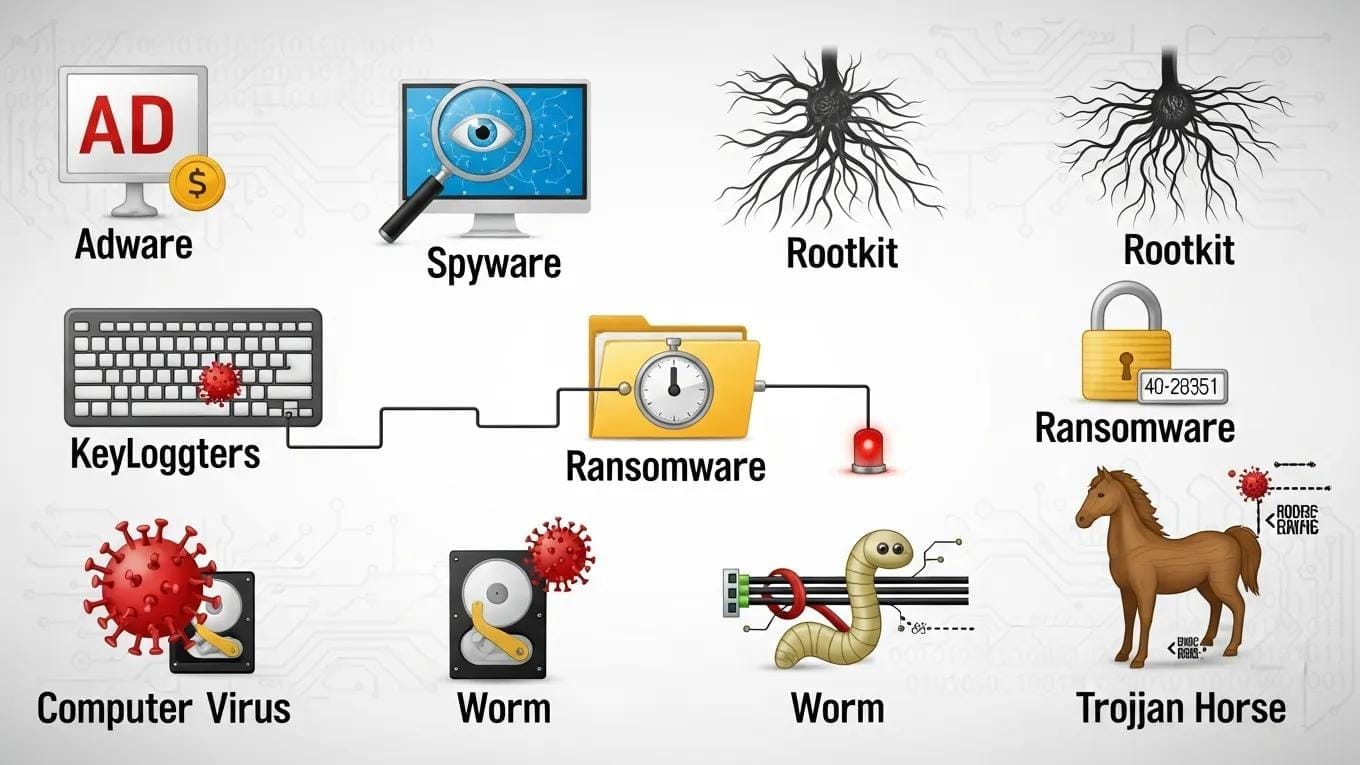
Malware encompasses a range of malicious software designed to disrupt, damage, or gain unauthorized access to computer systems. Understanding the different types of malware is essential for effective prevention and removal. The most common types include:
- Viruses: These self-replicating programs attach themselves to legitimate files and spread across systems, often causing damage and data loss.
- Spyware: This type of malware secretly monitors user activity and collects sensitive information, such as passwords and credit card numbers.
- Ransomware: A particularly dangerous form of malware that encrypts files and demands payment for their release, often leading to significant financial loss.
- Adware: While not always harmful, adware can disrupt user experience by displaying unwanted advertisements and tracking browsing habits.
- Trojans: These deceptive programs masquerade as legitimate software but can create backdoors for other malware to infiltrate the system.
Recognizing these types of malware is the first step in protecting your computer and data.
Effective Removal Techniques
Removing malware effectively requires a combination of techniques and tools tailored to the specific type of infection. Here are some effective removal strategies:
- Real-time Monitoring: Utilizing advanced antivirus software that provides real-time protection can help detect and eliminate malware before it causes harm.
- Software Troubleshooting: Identifying and removing suspicious applications or files can prevent further infections and restore system functionality.
- Performance Optimization: Regularly optimizing system performance can help identify malware-related issues, such as slowdowns or crashes.
- Follow-Up Support: After initial removal, ongoing support ensures that systems remain secure and free from future threats.
These techniques are essential for maintaining a secure computing environment and minimizing the risk of malware infections.
Recommendations for Trusted Service Providers
When seeking malware removal services, it’s crucial to choose a provider with a proven track record. Here are key factors to consider:
- Experience: Look for providers with extensive experience in malware removal and IT solutions.
- Customer Satisfaction: Positive reviews and testimonials can indicate a provider’s reliability and effectiveness.
- Comprehensive Services: A good provider should offer a range of services, including malware removal, system optimization, and ongoing support.
- Local Expertise: Choosing a local provider ensures they understand the specific challenges faced by Winnipeg residents and businesses.
For those seeking reliable malware removal services, CDC Computers stands out as a trusted option in Winnipeg.
What Are the Most Common Types of Malware Affecting Winnipeg Computers?
In Winnipeg, the prevalence of malware can significantly impact both personal and business computing. The most common types of malware affecting local computers include:
- Performance Degradation: Malware can slow down systems, making them less responsive and efficient.
- Data Security Risks: Sensitive information can be compromised, leading to identity theft and financial loss.
- Operational Downtime: Malware infections can disrupt business operations, resulting in lost productivity and revenue.
- Increased IT Costs: The need for frequent repairs and security measures can lead to higher IT expenses.
- Long-term Implications: Persistent malware issues can damage a company’s reputation and customer trust.
Understanding these risks highlights the importance of proactive malware management.
Understanding Computer Viruses, Spyware, and Ransomware Threats
Computer viruses, spyware, and ransomware represent significant threats to users in Winnipeg. Viruses can corrupt files and disrupt system operations, while spyware silently collects sensitive data without user consent. Ransomware, on the other hand, can lock users out of their files, demanding payment for access. Each type of malware requires specific strategies for detection and removal, emphasizing the need for professional assistance.
How Malware Impacts Business and Personal Computer Performance
Malware can severely affect both business and personal computer performance. In a business context, malware can lead to operational disruptions, decreased productivity, and potential data breaches. For personal users, malware can result in slow system performance, frequent crashes, and unauthorized access to personal information. Understanding these impacts is crucial for recognizing the need for timely malware removal services.
How Can You Identify Signs of Malware Infection on Your PC?
Identifying signs of malware infection is essential for prompt action. Common symptoms include:
- Slow Performance: A noticeable decrease in system speed can indicate malware presence.
- Frequent Crashes: Regular system crashes or unexpected shutdowns may signal an infection.
- Unusual Pop-ups: Excessive pop-up ads or alerts can be a sign of adware or other malware.
- Unauthorized Changes: If settings or files change without your input, malware may be at play.
- Increased Network Activity: Unexplained spikes in network usage can indicate malware communicating with external servers.
Recognizing these signs early can help mitigate damage and facilitate timely removal.
Recognizing Symptoms Like System Slowdown and Unauthorized Access
System slowdowns and unauthorized access are critical symptoms of malware infection. A slow system may struggle to perform basic tasks, while unauthorized access can lead to data breaches and identity theft. Users should remain vigilant and seek professional help if they notice these symptoms, as they often indicate a serious underlying issue.
When to Seek Professional Malware Removal Services in Winnipeg
Knowing when to seek professional help is vital for effective malware management. Consider contacting a service provider if you experience:
- Ransomware Attacks: Immediate assistance is crucial to mitigate damage and recover files.
- Persistent Pop-ups: If pop-ups continue despite attempts to remove them, professional help may be necessary.
- Unusual System Behavior: Any unexpected changes in system performance or behavior should prompt a consultation with a malware removal expert.
CDC Computers offers comprehensive malware removal services tailored to the needs of Winnipeg residents.
What Is the Professional Malware Removal Process Offered by CDC Computers?
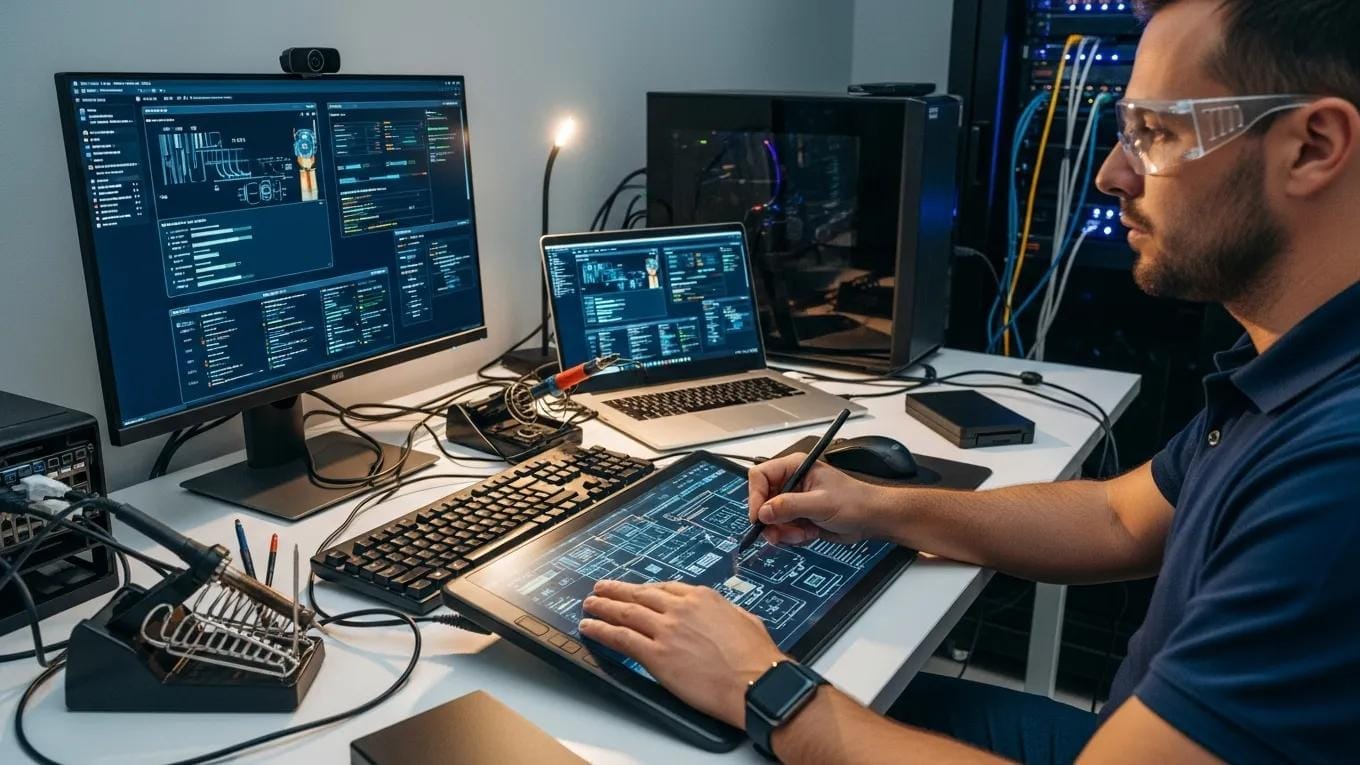
CDC Computers employs a systematic approach to malware removal, ensuring thorough and effective cleaning of infected systems. The process includes:
- Initial Assessment: Technicians conduct a comprehensive evaluation to identify the type and extent of the malware infection.
- Malware Removal Steps: Using advanced tools and techniques, the team removes malware and restores system functionality.
- Post-removal Checks: After cleaning, systems are checked for vulnerabilities to prevent future infections.
This structured process ensures that clients receive the highest level of service and protection.
Step-by-Step Malware Detection and Cleaning Procedures
The malware detection and cleaning process involves several key steps:
- System Scan: A thorough scan identifies all malware present on the system.
- Malware Removal: Infected files and programs are safely removed to restore system integrity.
- System Restoration: Any damaged files are repaired or restored from backups, ensuring full functionality.
These steps are crucial for effective malware management and recovery.
Post-Removal System Protection and Data Recovery Solutions
After malware removal, it’s essential to implement protective measures to safeguard against future infections. CDC Computers offers data recovery solutions and ongoing support to help clients maintain secure systems. Regular system scans and updates can further enhance protection, ensuring that users remain safe from evolving threats.
What Are the Pricing and Service Options for Malware Removal in Winnipeg?
CDC Computers provides a range of pricing and service options for malware removal, catering to various needs and budgets. Their services include:
- Remote services starting at $60 CAD per session: Convenient and effective for quick fixes.
- Managed IT services starting at $20 CAD per endpoint per month: Ongoing support for businesses to maintain system security.
- 10% discount for seniors and students: Making services more accessible to those in need.
These options ensure that clients can find a service that fits their requirements.
Affordable Packages for Virus and Spyware Removal
CDC Computers offers several affordable packages for virus and spyware removal, designed to provide effective solutions without breaking the bank. Each package includes comprehensive services tailored to the specific needs of the client, ensuring optimal protection and recovery.
Emergency Malware Removal Services and Support
In urgent situations, CDC Computers provides emergency malware removal services. Their team is available 24/7 to respond to critical incidents, ensuring that clients receive timely assistance when they need it most. Quick response times and expert support can make a significant difference in mitigating damage from malware attacks.
How Can Preventive IT Solutions Help Protect Your Computer from Future Malware?
Preventive IT solutions are essential for safeguarding computers against future malware infections. Implementing robust security measures can significantly reduce the risk of infection. Key strategies include:
- Implementing Antivirus Software: Reliable antivirus programs provide real-time protection against malware threats.
- Regular System Scans: Frequent scans help detect and eliminate potential threats before they can cause harm.
- Best Practices for Ongoing Malware Protection: Educating users about safe browsing habits and the importance of software updates can further enhance security.
These preventive measures are crucial for maintaining a secure computing environment.
Implementing Antivirus Software and Regular System Scans
Antivirus software is a fundamental component of any security strategy. Regular updates and scans ensure that systems remain protected against the latest threats. Users should choose reputable antivirus solutions and schedule routine scans to maintain optimal security.
Best Practices for Ongoing Malware Protection and IT Security
To enhance ongoing malware protection, users should adopt best practices such as:
- Regular Updates: Keeping software and operating systems up to date helps close security vulnerabilities.
- User Education: Training users on recognizing phishing attempts and suspicious downloads can prevent infections.
- Data Backup Strategies: Regularly backing up data ensures that important files can be recovered in the event of a malware attack.
These practices contribute to a comprehensive security strategy that minimizes the risk of malware infections.
What Are Frequently Asked Questions About Malware Removal Services in Winnipeg?
As malware removal services become increasingly essential, many individuals have questions about the process and effectiveness. Here are some common inquiries:
How Long Does Malware Removal Typically Take?
The duration of malware removal can vary based on the severity of the infection and the specific techniques used. Generally, most removals can be completed within 1-3 hours, but more complex cases may take longer. It’s essential to consult with a professional for an accurate estimate based on individual circumstances.
Is Professional Malware Removal Necessary for Complete Cleanup?
Yes, professional malware removal is often necessary for complete cleanup. While some users may attempt DIY methods, these can leave residual malware or fail to address underlying issues. Professional services ensure thorough detection and removal, providing peace of mind and restoring system integrity.
This perspective is further supported by research highlighting the limitations of standard antivirus products in achieving a complete system restoration after an infection.
Antivirus Limitations in Complete Malware Removal
The research suggests that current anti-virus products, whilst able to detect most recently released malware, still fall short of eliminating the malware and returning the system to its original state.
Malware Detection and Removal: An examination of personal anti-virus software, M Brand, 2008